Nulls Override
Home of the Nulls Override ARK cluster, MasterBox, my Windows toolbox app, and Nully, my own media server that will eventually be a full Plex replacement.
Nulls Override ARK Cluster
Ten clustered PvP maps with crossplay, 5× XP and harvesting, 6× taming, 10× hatching, and a short list of quality-of-life mods. StackOverflow, our ARK bot, posts a live status board, restart countdowns and update notices, and answers /online, /seen and /top.
Apps
Four Windows tools in one portable download: MasterBox. No accounts and nothing to set up, just download and run. Here's what each tool inside it does. Looking for the Plex request bot? It's on the Bots tab. MasterBox isn't code-signed yet, so Windows may show a SmartScreen warning: choose More info, then Run anyway.
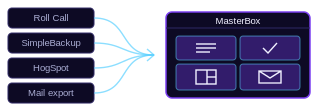
Four tools, one app. Roll Call, SimpleBackup, HogSpot and Thunderbird Dump together in a single portable exe, with light and dark themes, one tray icon and one Start with Windows switch.
- Drop a folder on a tool from the Home screen, or click a drive to scan it
- Right-click a folder in HogSpot to list it with Roll Call or back it up with SimpleBackup
- The Thunderbird Auto-Save add-on and its installer are included
- Used the separate apps before? Roll Call, HogSpot and Thunderbird Dump settings carry over on first run. Backups don't, so set those up again
- HogSpot's administrator scan can only read. Deleting always happens without administrator rights
- Takes several seconds to start because it unpacks itself. Settings stay in a
MasterBox Datafolder beside it, so move the two together
HogSpot

Find the space hogs. A fast disk space viewer. Pick a drive or folder and HogSpot draws it as a zoomable treemap: the bigger the block, the bigger the hog.
- Scans a full system drive in seconds, and the map fills in live while it scans
- Shows real size on disk, and counts hard-linked files once
- An Unaccounted tab explains hidden used space, such as System Restore, restricted folders and NTFS metadata
- Double-click to zoom in, color-coding by file type, largest files and search
- Right-click to open, show in Explorer, recycle or delete (deletes ask first)
Roll Call
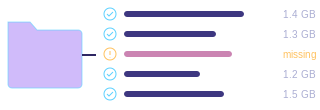
Every file, present and accounted for. Lists every file in one or more folders and saves the list as Word, PDF, Markdown, an HTML table or tree, text, or CSV.
- Movies & TV mode with quality, codec and HDR columns, plus a missing-episode check
- Duplicate finder, totals by type or show, and sorting
- Preview before saving, and compare with an earlier listing to see what's new and what's gone
- Optional "Roll Call this folder" in File Explorer's right-click menu
- Presets and remembered settings
Thunderbird Dump

Your email, saved as web pages. Exports Thunderbird mail to a local archive with one self-contained HTML file per message. Each opens in any browser looking just like the original email.
- Finds your Thunderbird profile automatically, and never changes your mail
- Browse folders, search, filter by date, and preview before you export
- Inline images embedded, and attachments embedded, saved alongside, or listed
- Readable filenames like
date time - sender - subject. Re-running only adds new mail - Want new mail saved automatically? See Auto-Save below
- Blocks scripts and, if you choose, remote images, so tracking pixels never fire
Thunderbird Dump Auto-Save
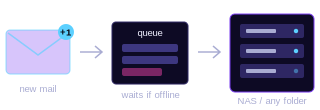
Every new email, saved as it arrives. A Thunderbird add-on and a small helper that save each incoming message as a self-contained HTML file, the same format as Thunderbird Dump, in a folder you choose, such as a share on your NAS.
- Covers your inboxes and your own folders, including mail that filters move there
- If the NAS can't be reached, mail waits in a queue on your PC and is retried every minute, even across restarts. Nothing is lost
- The same message is never saved twice. Name clashes get
(2) - The add-on's options page has a folder picker, a Test button and a live status of the queue
- In MasterBox, choose Set up auto-save to get the add-on and its installer
- Installs for your Windows user only, with no administrator rights. Uninstall from the same helper
- Save all existing mail with one button: every account and folder, with a progress bar. Anything saved before is skipped, so it's safe to run again
- Thunderbird must be running for new mail to be saved. Updating keeps your settings and queue
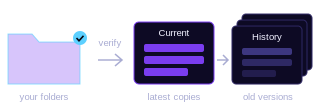
Keep a second copy of what matters. Choose some folders and a place to keep the copies. SimpleBackup runs quietly in the background and backs up files as they change.
- Backups are plain files you can open in Explorer, on a local drive, USB drive or NAS
- Changed and deleted files are kept in a History folder for as long as you choose
- Copies are verified before they replace the old one (on by default)
- A missing drive never counts as a deletion, and mass deletions wait for your approval
- Browse your backup and restore any version, either as a copy or back in place
- Keeps running from the tray when you close the MasterBox window
- Tray icon and problem notifications
Want a feature? Found a bug?
Tell me directly. This covers every app here, and Nully too. Features you want added will be added, and bugs you want fixed will be fixed, within 24 hours.
Discord bots
Three bots, built here, run the Nulls Override Discord: one for your own channels, one for ARK and one for Plex. They run side by side in RingZero, a portable control app also built here.

Sudo
Your own corner of the server. Sudo lets any member create a space: a category with its own text channel and voice channel, public or private.
/space create | Make a space. Give it a name, and set private to True if only people you invite should see it. It's public unless you choose private |
|---|---|
/space invite | Let a member into your private space |
/space uninvite | Remove a member. If they're in its voice channel, they're disconnected |
/space delete | Delete your space and its messages. It asks first, because it can't be undone |
- You can have up to 3 spaces at a time. Delete one to make room for another
- A private space is visible to you, the people you invite, Sudo and the server's admins
- Run invite, uninvite or delete inside the space, or pick one with the
spaceoption - Only you or an admin can manage your space. Names can't match a category that already exists
- Sudo only deletes the channels it made. If someone adds another channel to the category, the category stays

StackOverflow
Watches all 10 ARK maps. Keeps the status board current and tells you when a map is restarting, updating or back up.
- Live status board: every map, players online and next restart, updated every 30 seconds
- Restart countdowns starting 30 minutes ahead, followed until each map is back
- One message that follows each game update until the affected maps are up again
- A maintenance post when maps are stopped or started outside the schedule
- Alerts the admins if a map crashes, and updates the alert when it recovers
/status | Every map at a glance (only you see it) |
|---|---|
/online | Who's playing right now, on all maps or one |
/seen | When a survivor was last on, and their playtime |
/top | Playtime leaderboard |
/restarts | When each map restarts next |

BufferOverflow
Ask for it, watch it. Request a movie or show, pick the right title from a menu, and get pinged when it's ready to watch on Plex.
- For shows, choose one season, all seasons, or only new episodes
- Picks the best quality available, and says so when a title is already on Plex
- A Cancel button on every request
/movie | Request a movie |
|---|---|
/tv | Request a TV show |
/doc | Request a documentary film |
/docshow | Request a documentary series |
/library | Everything already on Plex |
/requests | Open requests and who asked |
/queue | What's on the way |
/plex | Is the Plex server up? |
/help | The full list, anytime |
Security & protections
What keeps the Discord, the bots, the ARK servers, the downloads and this site safe, up to date and free of spam.
Against spam and raids
- New accounts need a verified email and a minimum account age before they can talk
- New members go through Discord's screening step first
- Images and media from everyone are scanned by Discord's explicit-content filter
- Discord's AutoMod is set up, and raid alerts warn the admins about suspicious waves of joins
Limited on purpose
- They work through slash commands and don't ask Discord for access to read your messages
- Sudo and BufferOverflow commands can't be used to ping the whole server
- Sudo limits how many spaces you can have and how fast you can make them, and confirms before deleting
- BufferOverflow only takes requests in its own channel. Only the person who searched can pick, and only they or a moderator can cancel
- Admin commands need the admin role or Administrator permission, and StackOverflow logs each one
Updates and backups
- Game updates are checked for every hour and applied at each map's weeknight restart
- World saves every 15 minutes, with a backup every 10 minutes and the last 50 kept, plus player profiles
- Password protected, with mesh-biting protection on
- Every map is watched around the clock, with admin alerts for crashes. Maps that stop responding are logged
Checked before you click
- MasterBox's version history page lists a SHA-256 checksum, so you can confirm your download is the real file
- New builds are looked for every hour, and half-finished ones are held back
- Files are scanned for passwords and keys before site updates are published
- No accounts, sign-ups or passwords to hand over. Security headers stop the site being framed or files being misread
- The site is compared with the real servers, bots and apps twice a day, and fixed when something is off
Careful with your files
- HogSpot asks before it deletes anything
- SimpleBackup verifies copies by default, never treats a missing drive as a deletion, and holds mass deletions for your OK
- Thunderbird Dump never changes your mail, and strips scripts from saved emails
- Auto-Save queues mail when its folder can't be reached, so nothing is lost
Tips and reporting
- Compare a download's SHA-256 with the one on its version history page
- Don't share passwords or login codes with anyone in chat
- Report suspicious messages instead of clicking their links
Seen spam, a scam or a security problem? Tell me on Discord or email admin@nullsoverride.com.
Nully
My own media server, built from the ground up to eventually be a full Plex replacement: your movies and shows, in the best quality your screen can handle.
Nully media server
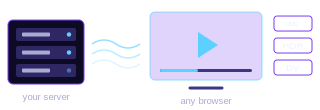
Your library, your server, your quality. Point Nully at your folders and watch in a browser, streamed straight from your own server. It's still being built and tested, and the goal is a complete replacement for Plex. Here's what's planned. Details can change before release.
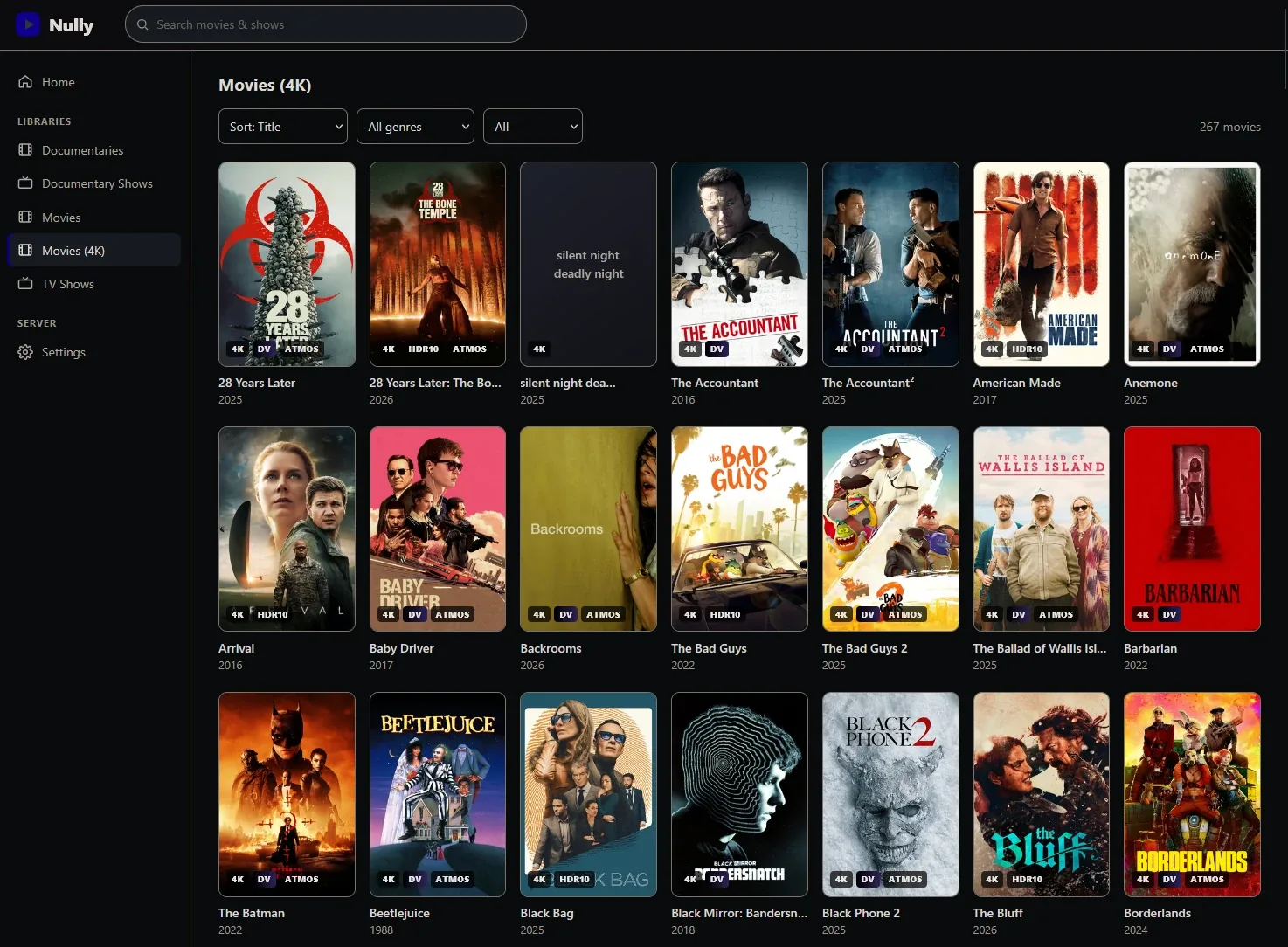
Features coming
- Plays the original file untouched whenever your device can handle it
- 4K, HDR10, HLG and Dolby Vision aware, with HDR converted properly for ordinary screens
- Converts on the fly only when it has to, with graphics card support, and tells you why
- Switch audio, subtitles and quality while you watch, and roll straight into the next episode
- Subtitle files and built-in subtitle tracks
- Movies and TV with posters, cast, ratings and episode titles
- New files are picked up automatically
- Continue Watching, Next Up and Recently Added, separate for each person
- You choose where the database, artwork, cache and settings are kept
- Invite friends with single-use links, and choose the libraries and quality they get
- Secure remote access, with built-in support for Tailscale. Video goes straight from your server to the viewer
- Auto quality measures the connection and sends the original whenever it fits
- A dashboard of who's watching what, with a stop button
- Server and client installers for Windows
- Runs in the system tray with right-click options
- Runs on your own PC: no AI, and no cloud account needed to use it
- Back up the whole server to a single file, on a schedule if you like, and restore from it after a wipe
The rest of the way to a full Plex replacement, with no dates yet: TV and mobile apps, casting, music and photos, intro and credit detection, seek previews, collections and playlists, parental controls, live TV and DVR.
Want a feature? Found a bug?
Tell me directly. Features you want added will be added, and bugs you want fixed will be fixed, within 24 hours.